How to Use Ecom2WP AI
A simple 3-step guide to automate your SEO content
2
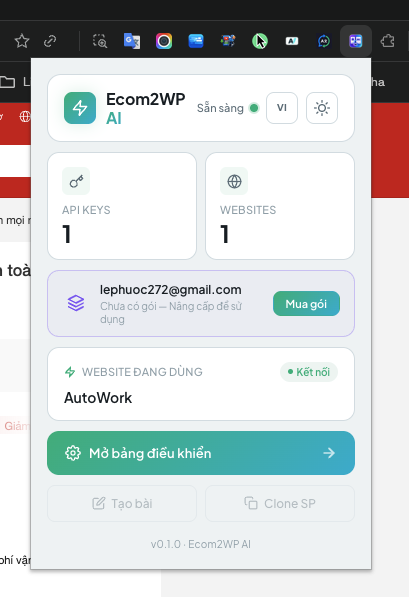
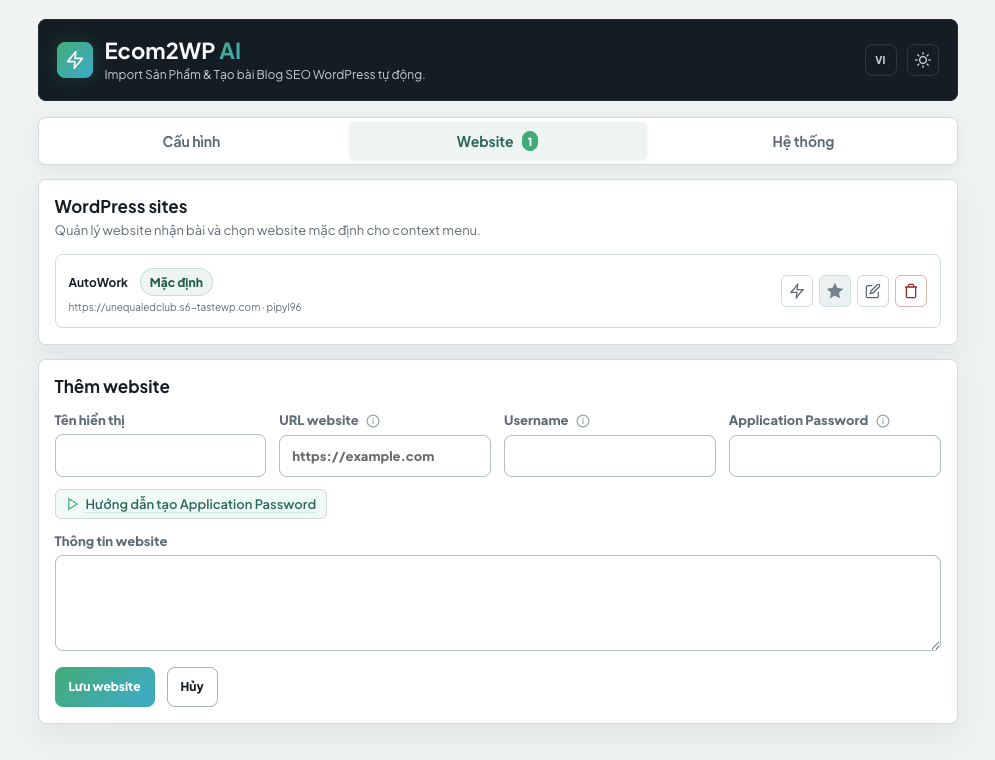
Step 2: Connect WordPress
Log into your WordPress admin dashboard.
Go to Users > Profile > Application Passwords and generate a new Application Password.Watch video tutorial
Open the extension Options and paste your Website URL, Username, and Application Password.
3
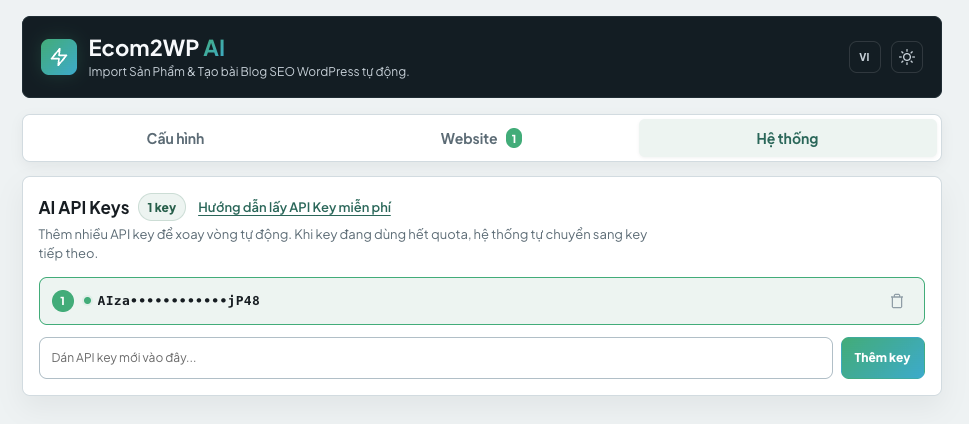
Step 3: Setup Gemini API Key
Get your free API key from Google AI Studio to power the content generation.
Visit Google AI Studio and create a new API key.
Open the extension Options and paste the key into the AI API Keys field.
4
Step 4: Start Generating
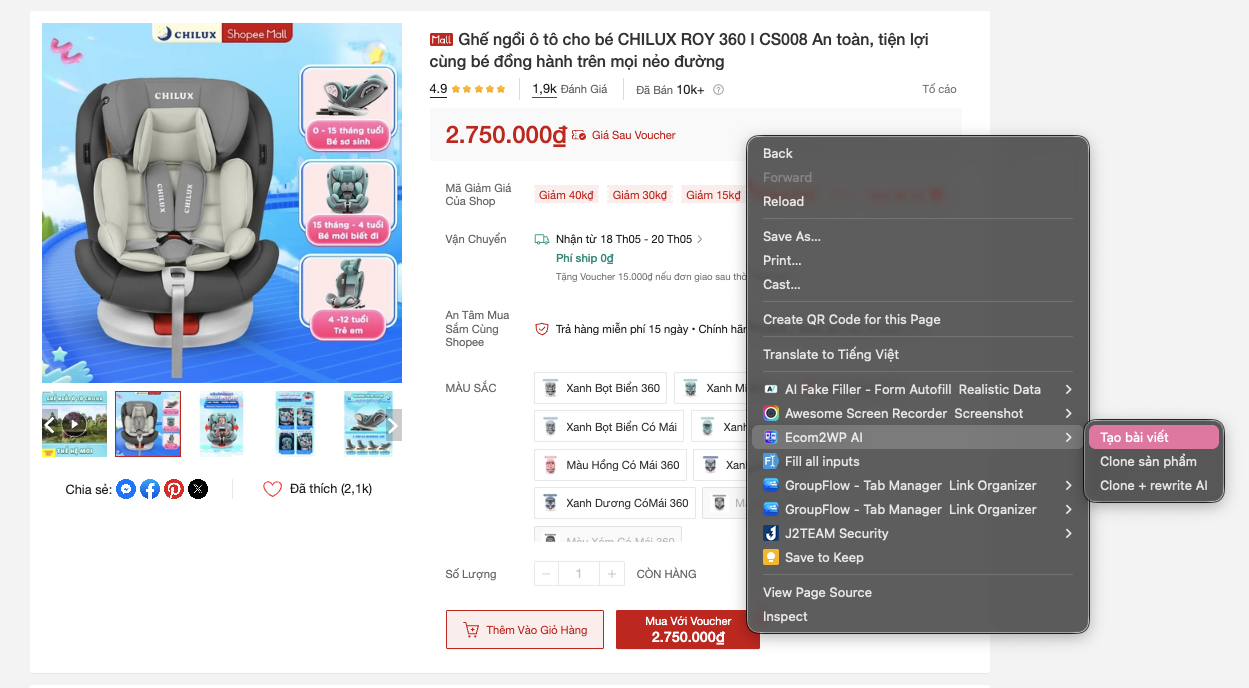
Visit any product page (like Shopee, AliExpress, or Amazon).
Right-click anywhere on the product page.
In the context menu, select Clone product to push data to WooCommerce, or Create post to write a unique SEO blog post.